
Download WebSiteSniffer – Website Sniffer, Download Files from Website, Web Content Extraction
Overview
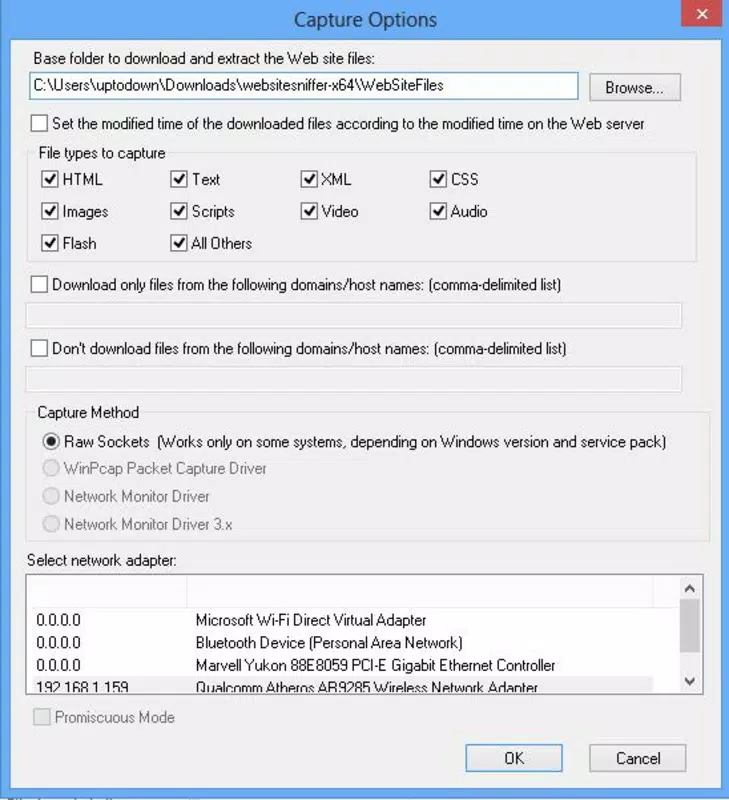
WebSiteSniffer is a utility tool designed to simplify the process of downloading specific file types embedded within web pages. Unlike broad-spectrum web crawlers, this application enables users to selectively extract content with precision, making it ideal for individuals who require targeted data retrieval. Its primary function centers on identifying and retrieving files such as HTML, plain text, XML, CSS, images, scripts, videos, audio, and Flash files—formats commonly found across modern websites. This targeted approach reduces unnecessary downloads and streamlines the content collection process.
The tool is particularly beneficial for web developers, digital researchers, content curators, and anyone involved in website analysis or data harvesting. By focusing on specific file types, users can efficiently gather only the resources they need, whether for offline reference, content replication, or technical debugging. The application’s purpose is to serve as a lightweight, focused alternative to complex scraping tools, emphasizing safety and transparency during data extraction.
Developed by Jason A. Bilbrey, WebSiteSniffer reflects a niche yet practical solution in the utilities category. Although the developer did not provide additional technical details about the app’s architecture or development background, the tool’s release in December 2021 suggests it was created to address growing user demand for accessible, selective web content extraction. In the broader app ecosystem, WebSiteSniffer occupies a specialized role—offering a focused, no-frills tool for users who prioritize control and specificity over automation at scale.
Key Features & Functionality
- Comprehensive File Extraction: WebSiteSniffer supports a wide range of file types, including HTML, plain text, XML, CSS, images, scripts, videos, audio, and Flash files. This enables users to retrieve specific assets from a webpage without downloading the entire site.
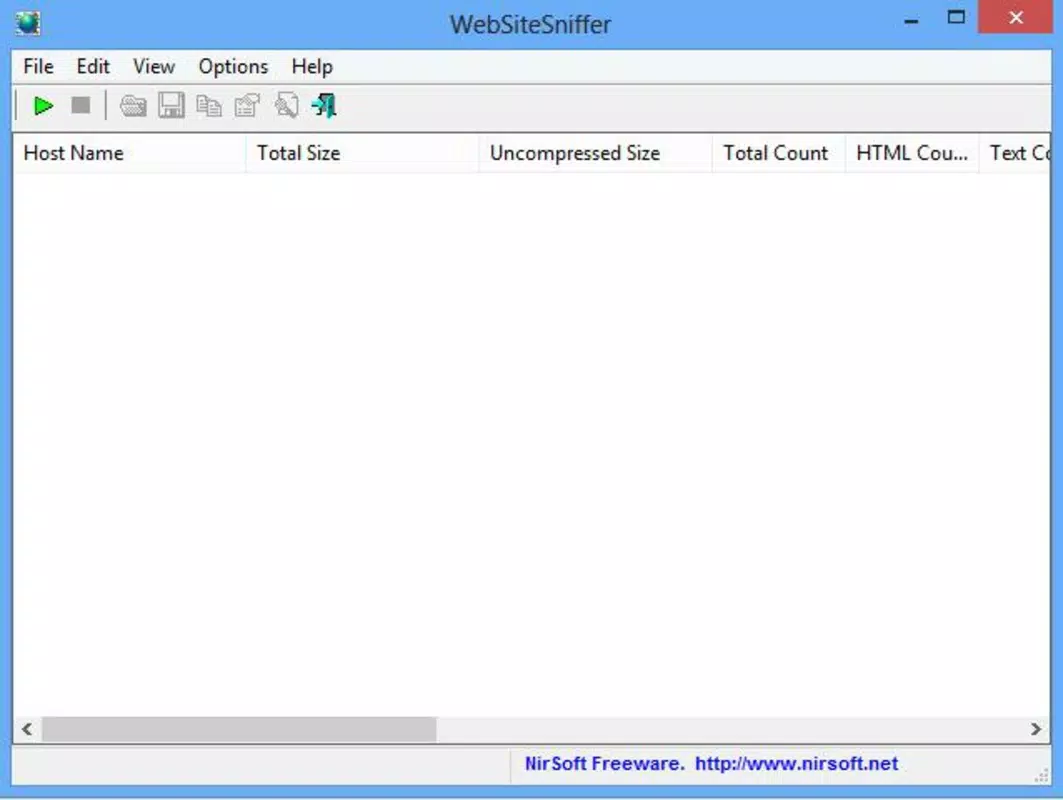
- User-Friendly Interface: The application presents a clean, intuitive window that displays detailed metadata for each extracted file, including URL, file size, and hosting information, enhancing transparency and user control.
- Selective Downloading: Users can choose which file types to extract, allowing for efficient and targeted data collection. This feature is especially useful when only certain formats—like images or scripts—are needed.
- Package Capture Technology: Utilizing advanced techniques, the tool analyzes network packets to detect embedded content that standard crawlers may overlook, ensuring a more complete and accurate extraction process.
- Real-Time Analysis: As the scanning process runs, users receive immediate feedback on the files being identified and downloaded, enabling real-time monitoring and decision-making.
For example, a web designer might use WebSiteSniffer to extract only CSS and image files from a competitor’s site to study layout techniques. Similarly, a researcher could isolate audio files from a news website for offline analysis. The tool’s selective approach ensures that users avoid bandwidth waste and storage clutter by focusing only on relevant content.
Interface, UX & Performance
WebSiteSniffer features a straightforward interface designed for clarity and usability. The main window provides a structured view of extracted files, with each entry clearly labeled with its URL, size, and hosting details. This layout supports quick assessment and selection, minimizing user confusion during content retrieval.
Navigating the tool is intuitive, with minimal steps required to initiate a scan and choose file types for download. The application’s workflow follows a logical sequence: input the target URL, select desired file formats, start the scan, and review results. This simplicity makes it accessible even to users with limited technical experience.
Although the developer did not list formal performance metrics, the tool’s 2.8 MB file size suggests a lightweight design optimized for efficiency. It is likely to perform well on standard desktop systems, though performance on lower-end hardware may vary without official confirmation. Responsiveness appears consistent during scanning, with real-time updates displayed as content is detected. Stability during extended sessions has not been publicly documented, but the absence of reported crashes indicates reliable operation under typical use.
Platform Compatibility & Technical Requirements
WebSiteSniffer is designed for the Windows operating system. The current version, 1.0.0, is available as a standalone executable with a file size of 2.8 MB. The developer did not specify minimum OS requirements, nor did they list compatibility with specific Windows versions such as Windows 7, 8, 10, or 11.
As a desktop application, it does not support mobile platforms like Android or iOS. Users seeking to use this tool on smartphones or tablets will need alternative solutions. The absence of platform-specific details means that compatibility with newer or older Windows environments remains unconfirmed. However, its small footprint suggests broad compatibility across modern Windows installations.
Pros and Cons
Pros
- Lightweight and fast, with a minimal 2.8 MB file size.
- Supports selective downloading of multiple file types.
- Provides real-time insights during the scanning process.
- Transparent interface with clear metadata for each file.
- Free to download and use, with no hidden costs.
Cons
- Only available for Windows; no mobile or cross-platform support.
- Specific system requirements were not disclosed.
- Not designed for large-scale or automated web scraping.
- Limited to desktop environments, restricting use on mobile devices.
- Developer did not provide update history or future roadmap.
FAQ
Is WebSiteSniffer safe to use?
Yes, the tool is designed to extract files from websites using safe, transparent methods. It does not install additional software or modify system settings. However, users should only download content they have the right to access.
Can I use WebSiteSniffer on Android or iOS?
No. WebSiteSniffer is currently only available for Windows. It is not compatible with mobile operating systems like Android or iOS.
Does WebSiteSniffer require an internet connection?
Yes. The application requires an active internet connection to scan websites and retrieve embedded files.
Is WebSiteSniffer free to download?
Yes. The app is available at no cost. There are no in-app purchases or subscription fees.
How do I update WebSiteSniffer?
The developer did not provide information about update frequency or automatic update functionality. Users should check the official source for the latest version.
Final Thoughts
WebSiteSniffer stands out as a focused, efficient utility for users who need to extract specific files from web pages without downloading entire sites. Its selective approach, real-time feedback, and transparent interface make it a valuable tool for developers, researchers, and content professionals. While limited to Windows and lacking detailed system requirements, its lightweight design and free access enhance its appeal.
For individuals seeking a no-nonsense, targeted solution for web content extraction, WebSiteSniffer delivers a clear value proposition. It excels in precision, simplicity, and safety—qualities that are often missing in more complex scraping tools.
Download WebSiteSniffer now


